Laptop comparison · 2 products
Asus ROG Flow Z13 (2025) vs Dell XPS 13 9345 13.4″
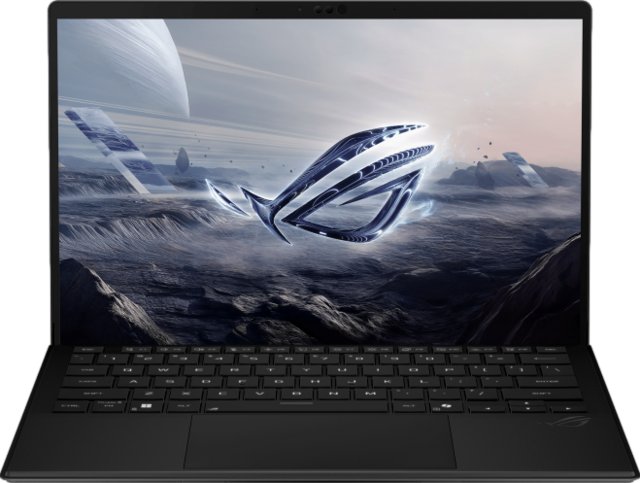

Key differences
- ProcessorROG Flow Z13 AMD Ryzen AI Max+ 395 · XPS 13 9345 Snapdragon X Elite X1E‑80‑100
- ThicknessXPS 13 9345: 2 mm thicker (17%)ROG Flow Z13 12 mm · XPS 13 9345 14 mm
- Battery capacityROG Flow Z13: 15 Wh more (27%)ROG Flow Z13 70 Wh · XPS 13 9345 55 Wh
- PanelROG Flow Z13 IPS LCD · XPS 13 9345 OLED
- Refresh rateROG Flow Z13: 120 Hz higherROG Flow Z13 180 Hz · XPS 13 9345 60 Hz
- HDMI outputOnly ROG Flow Z13.ROG Flow Z13 Yes · XPS 13 9345 No
What’s the same
- Storage 1,024 GB
- Fanless (silent) No
- Screen size 13.4″
- Touchscreen Yes
- Thunderbolt 4 ports 2
Identical specs don’t help you choose, so “Differences only” hides them.
| Spec | ROG Flow Z13 | XPS 13 9345 | Difference |
|---|---|---|---|
| Processor | AMD Ryzen AI Max+ 395 | Snapdragon X Elite X1E‑80‑100 | Different |
| CPU threads | 32 | 12 | ROG Flow Z13 · 20 more (167%) |
Why this matters. Threads help with parallel work like exports and compiling. They are not comparable 1:1 across Apple, Arm and x86 designs. | |||
| Geekbench 6 multi‑core | 17,698 | 14,584 | ROG Flow Z13 · 3,114 higher (21%) |
Data note. Chip‑level benchmark, not this exact laptop. Cooling and power limits change real results. | |||
| RAM | 128 GBMore | 16 GB | ROG Flow Z13 · 112 GB more (700%) |
| Storage | 1,024 GB | 1,024 GB | Same |
| Fanless (silent) | No | No | Same |
Why this matters. Fanless laptops make no noise but may slow down under long, heavy loads. | |||
2 identical specs hidden in this section
| Spec | ROG Flow Z13 | XPS 13 9345 | Difference |
|---|---|---|---|
| Screen size | 13.4″ | 13.4″ | Same |
| Panel | IPS LCD | OLED | Different |
| Resolution | 2560 × 1600 | Not listed | Listed only for ROG Flow Z13 |
| Refresh rate | 180 Hz | 60 Hz | ROG Flow Z13 · 120 Hz higher |
Why this matters. Higher refresh rates make motion look smoother, which matters most for games and fast scrolling. | |||
| Brightness (typical) | Not listed | 400 nits | Listed only for XPS 13 9345 |
| Touchscreen | Yes | Yes | Same |
2 identical specs hidden in this section
| Spec | ROG Flow Z13 | XPS 13 9345 | Difference |
|---|---|---|---|
| Weight | 1.2 kg | 1.17 kgLighter | XPS 13 9345 · 0.03 kg lighter (3%) |
| Thickness | 12 mm | 14 mm | XPS 13 9345 · 2 mm thicker (17%) |
| Spec | ROG Flow Z13 | XPS 13 9345 | Difference |
|---|---|---|---|
| Battery capacity | 70 WhMore | 55 Wh | ROG Flow Z13 · 15 Wh more (27%) |
| Battery life (claimed) | 10 h | Not listed | Listed only for ROG Flow Z13 |
Data note. Manufacturer claims use different test workloads. Compare with care. | |||
| Spec | ROG Flow Z13 | XPS 13 9345 | Difference |
|---|---|---|---|
| Thunderbolt 4 ports | 2 | 2 | Same |
| USB4 40 Gbps ports | 2 | 0 | ROG Flow Z13 · 2 more |
| HDMI output | Yes | No | Only ROG Flow Z13 |
1 identical spec hidden in this section
How this comparison works
Every product in a category uses the same fields and units. Rows highlight a difference. A direction label such as “Lighter” or “More” appears only on fields where DuelVS’s methodology defines which way is generally preferable. Nothing here declares an overall winner.
Questions, answered from the data
- How many specs are different between ROG Flow Z13 and XPS 13 9345?
- Of 19 specs DuelVS lists for this comparison, 11 differ, 5 are identical and 3 are listed for only some of the products.
- Which has more RAM?
- ROG Flow Z13: 128 GB vs 16 GB for XPS 13 9345, 112 GB more.
- Which is lighter?
- XPS 13 9345: 1.17 kg vs 1.2 kg for ROG Flow Z13, 0.03 kg lighter.
- Which has the larger battery?
- ROG Flow Z13: 70 Wh vs 55 Wh for XPS 13 9345, 15 Wh more.
- What do they have in common?
- Storage: 1,024 GB; Fanless (silent): No; Screen size: 13.4″; Touchscreen: Yes; Thunderbolt 4 ports: 2.